 CvRadar
The right CV, closer to the centre.
CvRadar collects the CVs you receive and compares them with your open positions. An AI model running on your own computer reads every CV and places it nearer the centre of the radar the better it matches what you're looking for. Who moves forward is up to you.
Free for Windows, macOS and Linux. No account to create.
CvRadar runs on computers and Android: there is no iPhone or iPad version.
How it works
-
Describe the position
Paste the job ad and list the required skills, with the synonyms candidates actually use (
vendite|sales|продажи), then the nice-to-haves, the languages you need and the minimum years of experience. -
Bring in the CVs
Drop files onto the window, or connect a folder, your mailbox, a Telegram bot or a job board. Every new CV is read and scored against all your open positions.
-
Read the radar
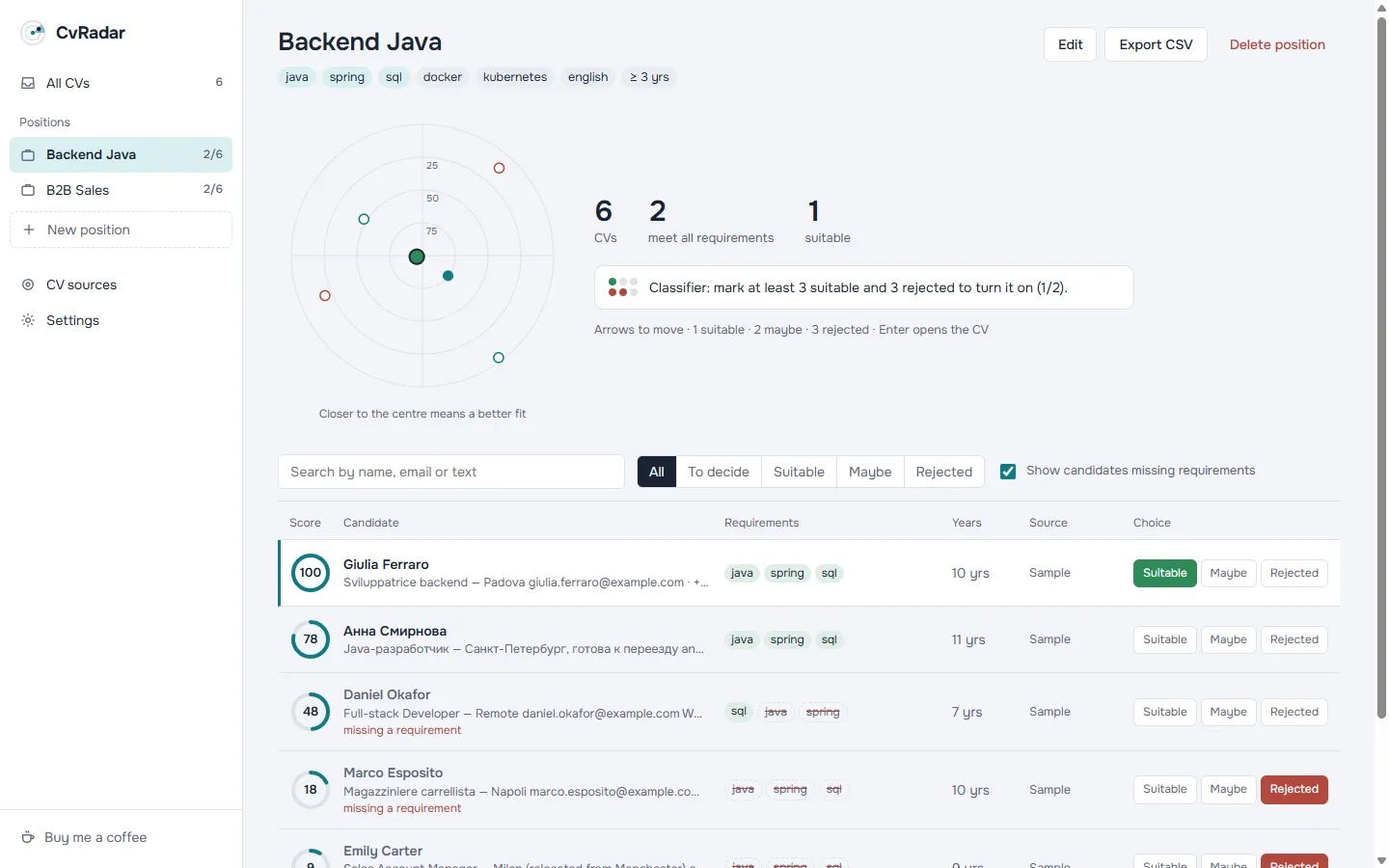
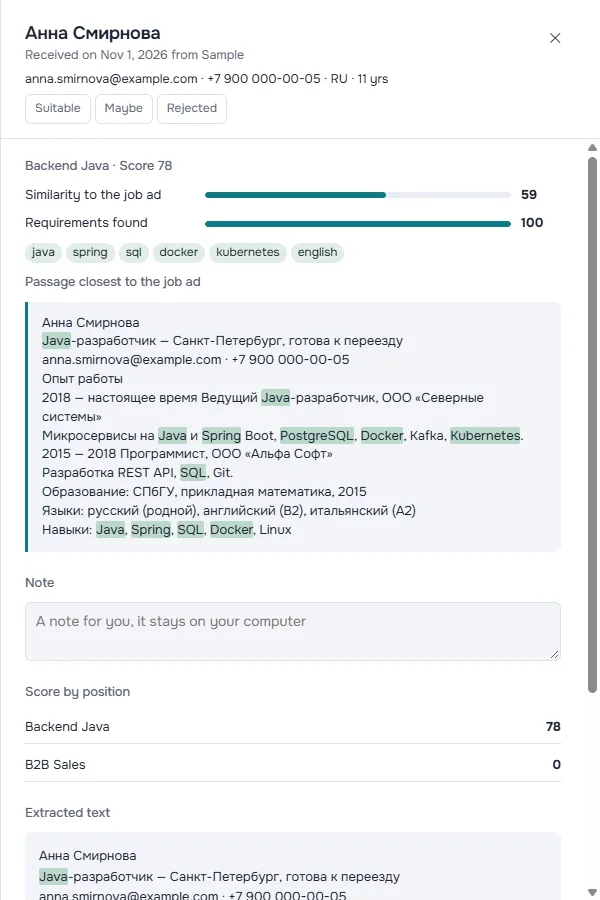
The model compares each CV with the job ad, checks the required skills and estimates years of experience. Every score shows its reasons: which skills were found, and which passage of the CV comes closest to the ad.
-
Make the call
Move through candidates with the keyboard and mark who goes forward. Once you've marked 3 suitable and 3 rejected, a classifier starts learning from your choices and shows its estimated accuracy. It suggests; it doesn't decide.
↑↓ move 1 suitable 2 maybe 3 rejected
Where the CVs come from
You connect the sources, with your own accounts, and every one is optional. While CvRadar is open, new CVs come in on their own.
CvRadar doesn't crawl job boards or scrape them in bulk: it only imports what you open and choose.
-
Files
Drop PDF, DOCX or TXT files onto the window, as many at once as you like.
-
Folder
Pick a folder on your computer: every file that lands there is imported.
-
Telegram
Create your own bot and connect it. Candidates send you their CV in the chat and get a confirmation in their own language.
-
Email
Connect a mailbox over IMAP and CvRadar picks up attached CVs, including application emails from LinkedIn, Indeed and InfoJobs.
-
Job boards
LinkedIn, Indeed, InfoJobs, hh.ru, Glassdoor, Monster or any site you choose open in a built-in window. You sign in with your own account and import what you download, or capture the page you're on with one button.
CVs stay on your computer
A CV holds someone else's personal data. CvRadar is built so that it never has to go anywhere.
- No server, no account
- CVs, scores and notes live on your PC. There's no account to create and no telemetry: the author receives nothing.
- The AI runs locally
- The multilingual-e5-small model runs on your machine. It downloads once, about 118 MB, then works offline and understands CVs and ads in different languages.
- Old CVs delete themselves
- Choose how long to keep CVs: older ones are deleted automatically, as the GDPR requires.
- You decide
- CvRadar ranks and explains. It never rejects or contacts candidates on your behalf, apart from the Telegram bot's receipt confirmation.
For recruiters there's a responsible use guide and a privacy notice template for candidates.
Download CvRadar
Free, no account needed. Pick the version for your computer: after that, updates arrive inside the app.
CvRadar runs on computers and Android: there is no iPhone or iPad version.
Windows your system
Windows 10 and 11
macOS your system
macOS 12 or later on Apple Silicon (M1 or later)
Linux your system
64-bit (x86_64)
Android your system
Android 7 or later
First release coming soon. All releases on GitHub
First launch
- Windows
- CvRadar isn't code-signed yet, so SmartScreen may stop it with “Windows protected your PC”. Click “More info”, then “Run anyway”.
- macOS
- For the same reason, the first time you open it, right-click the app and choose “Open”. Or go to System Settings, Privacy & Security, and click “Open Anyway”.
- Android
- The APK does not come from the Play Store: on first install Android asks you to allow apps from this source. Updates download inside the app.
- Updates
- CvRadar updates itself from inside the app. On macOS it downloads the new .dmg: open it and replace the app in your Applications folder.
CvRadar is free. If it saves you time, you can buy the author a coffee on PayPal. Entirely optional.